An assistant that takes routine work off your team
Open it beside any screen and ask in plain language. It reads your projects, contracts, time, and email, drafts the proposals, change orders, and invoices that follow from them, and handles setup work like creating phases and tasks or entering a week of time.
Free for 14 days, with every feature included.
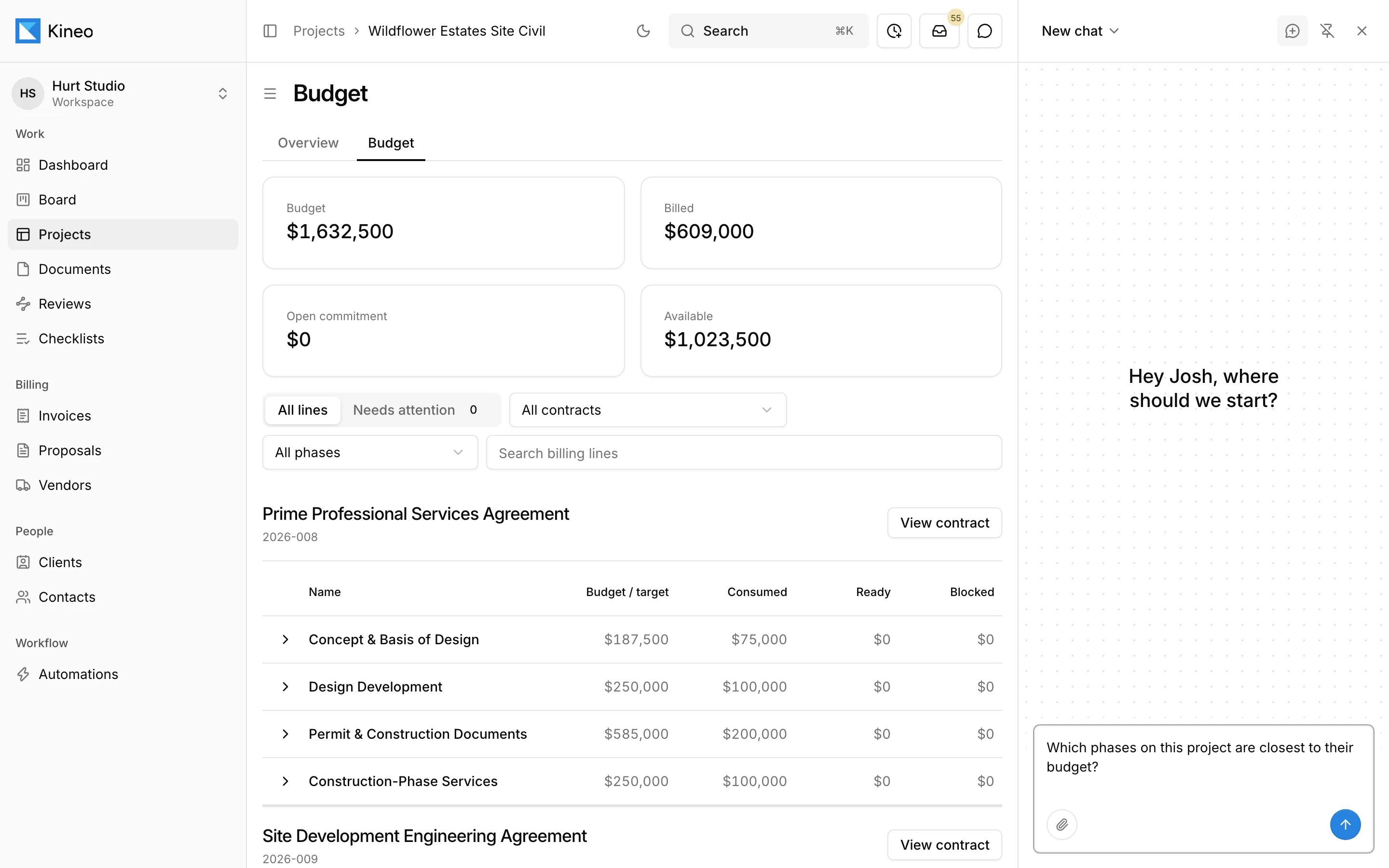

- 1It opens beside whatever you're working on and knows which screen you're on.
- 2It reads the same budgets, contracts, and records you see, so it can answer which phases are closest to budget.
- 3Type a request, or attach PDFs, Word documents, spreadsheets, or images.
What you can ask it to do
It works across every part of Kineo, using the same records and permissions as the person asking.
- Create projects, phases, sets, documents, folders, and tasks
- Write a project brief and show each person's workload
- Reassign tasks and move documents between board stages
- Add clients and contacts, and invite people to the workspace
- Find a project's email and summarize what was asked
- Draft proposals, contracts, fee lines, and change orders
- Draft invoices and credit notes from approved time and expenses
- Enter time in bulk and log expenses
- Set up labor categories, rate tables, and project rates
- Record a payment against an issued invoice
- Draft a checklist template from a description or a file you attach
- Start a review on a document
- List a review's items and the decision on each
How it works with your team
It uses each person's permissions
Your team sends what it drafts
Usage and limits
It also works without being asked
Automations
Describe when to act and what to prepare. When a client email, a project event, or a condition you describe calls for it, Kineo drafts the change order, proposal, or invoice and emails your team a summary.
Project email
Every project has its own email address. When you import a message, the assistant reads it and its attachments and suggests tasks, comments, and documents for someone to apply or dismiss.
Common questions
Try Kineo on a project you're working on now
Set up a project with its contract and phases, invite your team, and give the assistant some of the routine work. Your first 14 days are free, with every feature included.