Automations that prepare the next step for you
Pick what to watch, then describe in your own words when to act and what to prepare. When the condition is met, Kineo drafts the proposal, change order, or invoice and emails the people you chose a summary of what it found.
Free for 14 days, with every feature included.
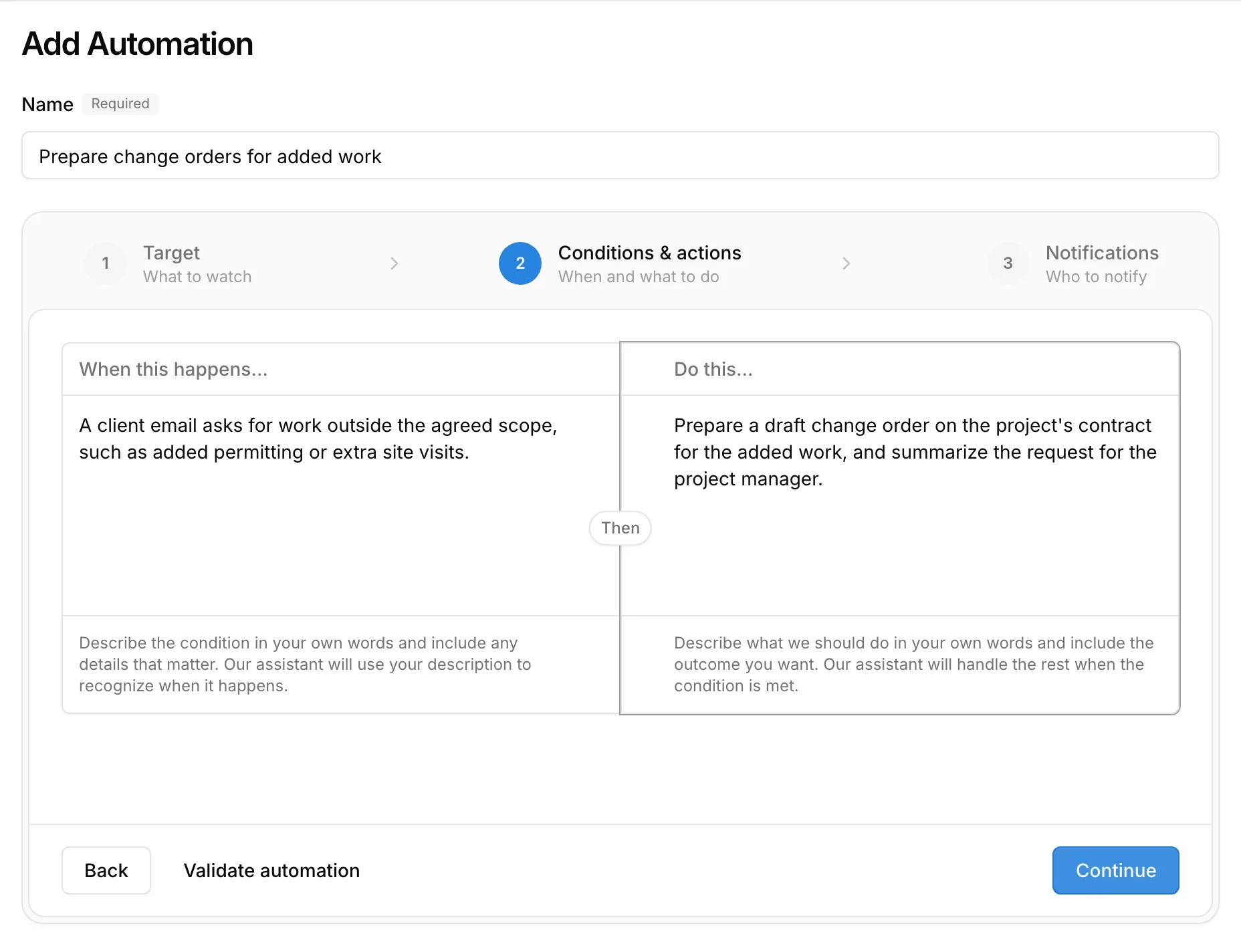
- 1Describe the condition in your own words, such as a client asking for work outside the agreed scope.
- 2Describe what to prepare. Kineo checks the instruction before you save it.
- 3Choose who on your team gets the results email.
Three ways an automation starts
An email arrives
Something happens in Kineo
A condition becomes true
What an automation can prepare
- Draft proposals, new or copied from an earlier one
- Draft billing contracts and change orders
- Draft invoices and credit notes, using approved time and expenses
- Checklist templates
- A written summary, explanation, or reminder in the results email
Everything an automation prepares is a draft for your team to review, and each automation acts with the permissions of the person who set it up.
What happens on each run
- 1
Kineo checks the condition
It reads the facts about each watched record, and about the email or event that started the run, and decides whether your condition is met.
Evaluating - 2
It plans the drafts
If the condition is met, it works out which drafts to prepare and which records they draw from.
Planning - 3
It prepares them
If one draft fails, the drafts that succeeded are kept, and you can retry the rest.
Executing - 4
Your team hears about it
The people you chose get an email with a summary and links to each draft. Every run is listed on the automation with its result.
Completed
A few automations you could set up
Each one is written in plain language. These are examples, and you can describe your own.
Scope changes by email
Fee lines running out
Phases near budget
Common questions
Try Kineo on a project you're working on now
Set up a project with its contract and phases, invite your team, and give the assistant some of the routine work. Your first 14 days are free, with every feature included.