An email address for every project, with suggested tasks from each message
Copy or forward project mail to the project's own address. When you import a message, the assistant reads it and its attachments, matches it to a project, and suggests tasks, task updates, comments, and documents. Nothing changes until someone applies a suggestion.
Free for 14 days, with every feature included.
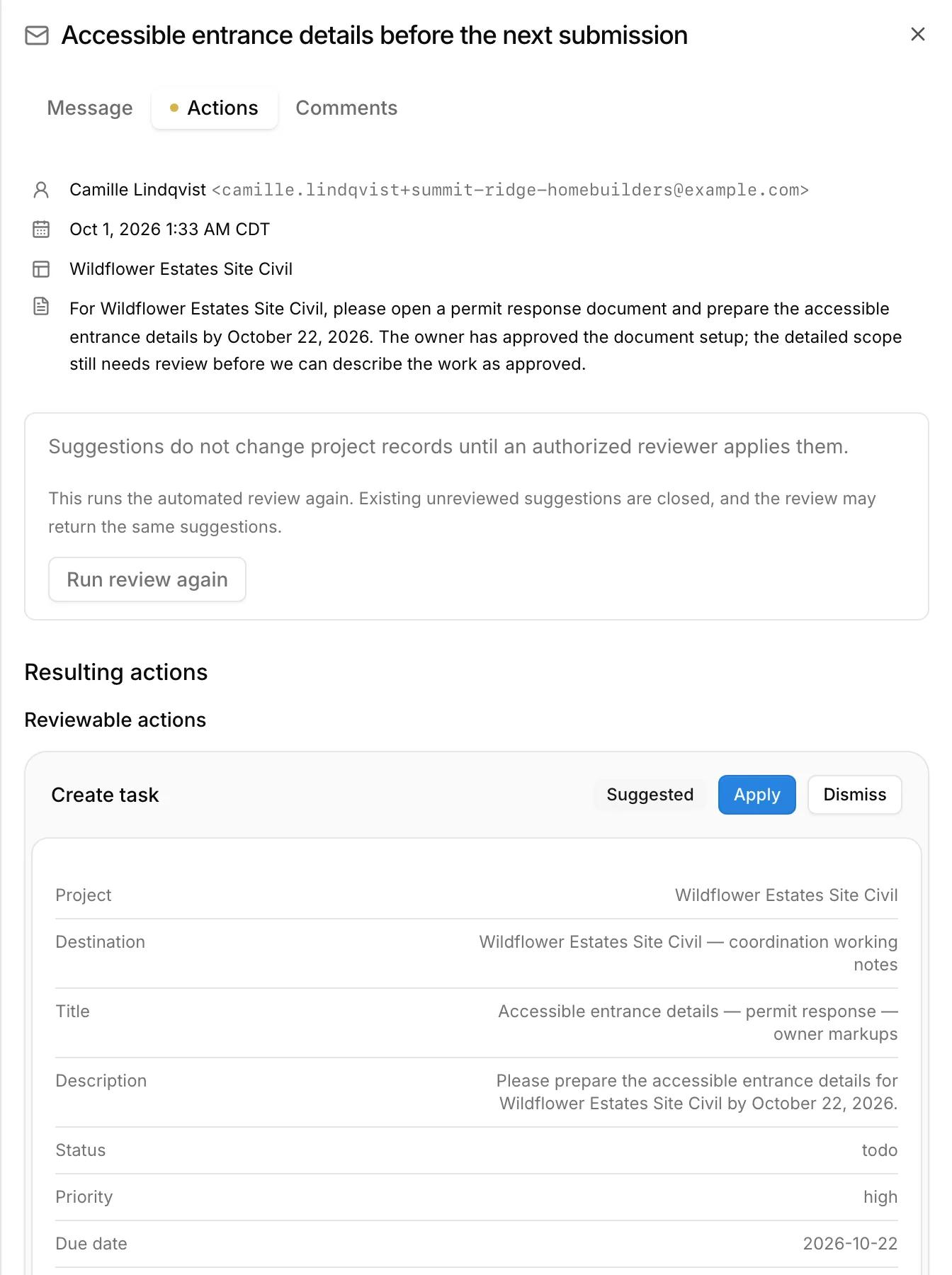
Each suggestion shows exactly what would change
The assistant summarizes the message, then lists each suggested change with the project, title, description, priority, and due date it would use. Apply a suggestion, dismiss it, or run the review again.
When an applied suggestion changes a task, Kineo sends a notice that links the task to the email it came from.
What happens to an email
- 1
Sent to the project
Someone sends or copies a message to the project's address. Clients and contacts can have their own addresses too.
- 2
Imported
A person on your team imports it into Kineo.
- 3
Read
The assistant reads the message and its attachments and matches it to a project.
- 4
Suggested
It suggests new tasks, changes to existing tasks, comments, and documents, each with its reasoning.
Suggested - 5
Applied
Someone applies or dismisses each suggestion. An imported email can also start an automation.
Applied
Start automations from email
An automation can watch project, client, or contact inboxes and prepare a draft change order or proposal when a message asks for one.
Search every message
Ask the assistant about it
Common questions
Try Kineo on a project you're working on now
Set up a project with its contract and phases, invite your team, and give the assistant some of the routine work. Your first 14 days are free, with every feature included.