Include clients and agencies in drawing reviews with an emailed link
Outside reviewers get the same PDF, markup tools, and checklist as your team. They don't need an account or any software, they don't take up a seat, and their decision goes straight back into the project.
Free for 14 days, with every feature included.
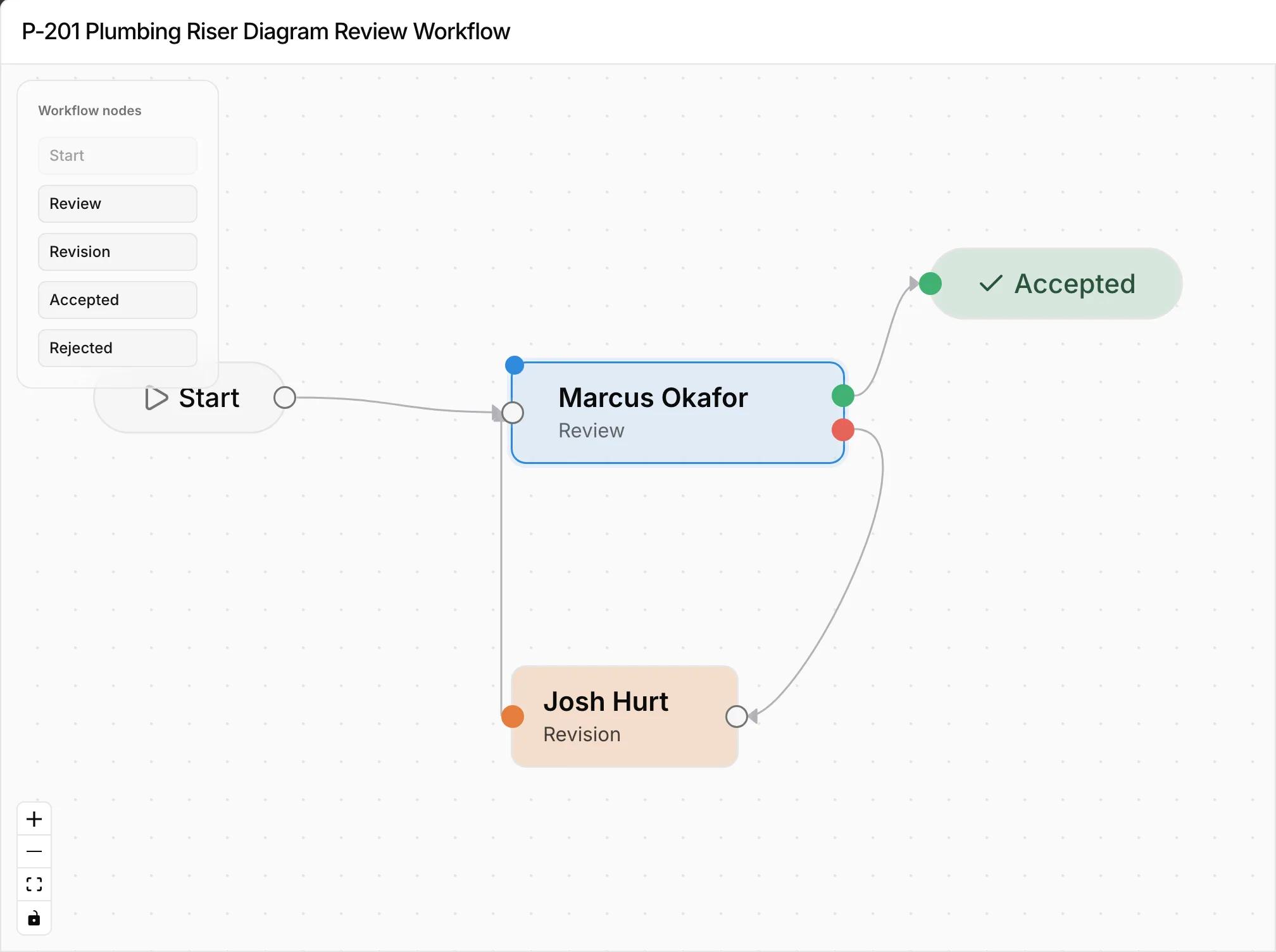
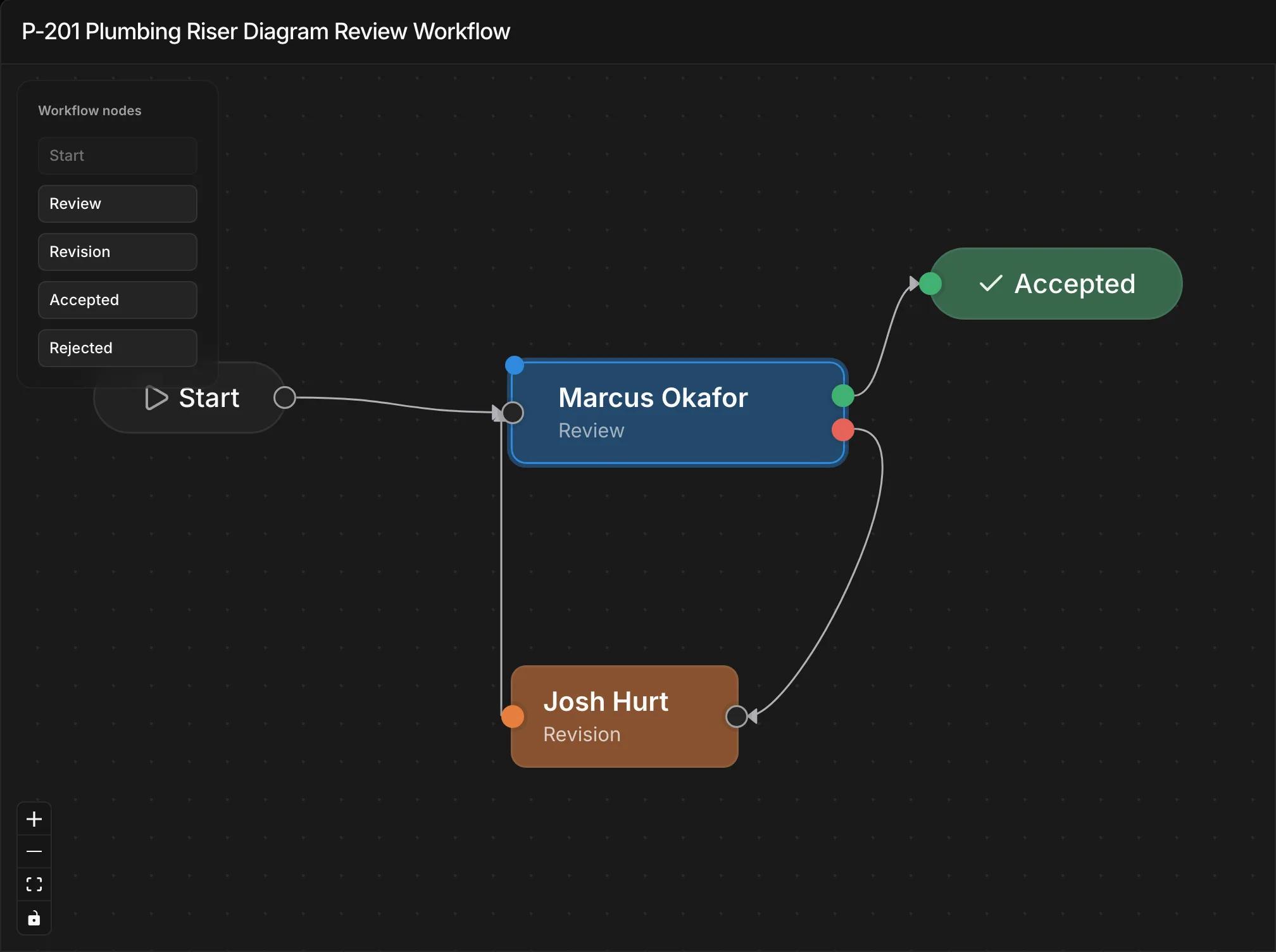
- 1A review step can be someone on your team or an outside reviewer added by email.
- 2When the reviewer approves, the document is marked accepted.
- 3If they reject it, it goes to your team for revision and then back to them.
Waiting on outside reviewers can hold up a whole set
Sets often sit in a client's or agency's inbox for days. When the comments come back, they're often on a printed and scanned PDF, with no link to your checklist and nothing you can search.
How it works
- 1
Add the reviewer
Add the client, agency, or consultant to the document's review route by email.
- 2
They get a link
Kineo emails them a link that works for 14 days. They don't sign up for anything.
- 3
They review the set
They open the PDF, mark it up, respond to each checklist item, attach files, and submit.
- 4
The document moves on
It's accepted, or it goes back to your team for revision. The link stops working once their round is finished.
Outside reviewers are free on every plan
They never use a seat, however many projects they review.
Common questions
Try Kineo on a project you're working on now
Set up a project with its contract and phases, invite your team, and give the assistant some of the routine work. Your first 14 days are free, with every feature included.