Review
Send every review to the right person, in the right order
Lay out who reviews a document, who revises it, and what happens when it's accepted or rejected. Kineo moves the document along that route and reminds anyone who's holding it up.
Free for 14 days, with every feature included.
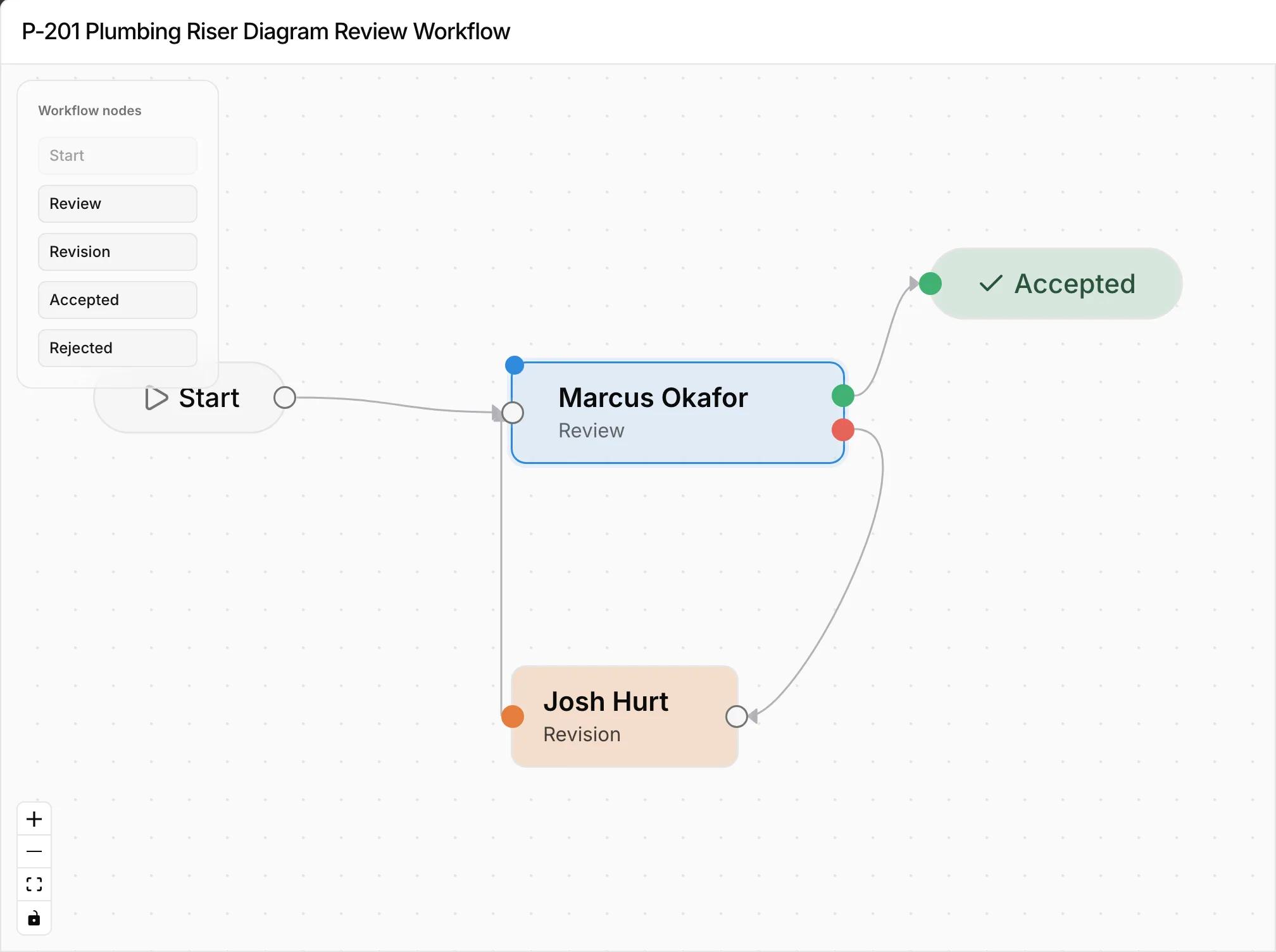
- 1Each document's review starts from its own workflow.
- 2Reviewers can be on your team or outside it.
- 3A document is accepted only after every checklist item has a decision.
- 4Rejected documents go to revision, then back to the reviewer for another round.
Reviews that move by email depend on someone remembering
When the next step is forwarding an email, the route only exists in someone's memory. If that person is out, the review waits, and nobody notices until the deadline.
Build the route on a canvas
Connect start, review, revision, accepted, and rejected steps, and assign people to each one. Kineo checks that every path ends somewhere before you save.
Rejections start a new round
Each round creates a review for every checklist on the document. After a rejection, the document goes to revision, and the next round returns to the reviewer who rejected it.
Automatic reminders
Each step has a reminder setting, three days by default. Kineo checks daily and emails anyone who has gone past it.
Common questions
The next person on the route gets an email when it's their turn, and another if they go past the reminder setting.
Try Kineo on a project you're working on now
Set up a project with its contract and phases, invite your team, and give the assistant some of the routine work. Your first 14 days are free, with every feature included.